Exporting and saving
Under the cuts in Refine sits the export panel: Reduce pops and clicks, the Export format, and the export button. Groovemark cuts each track, tags it with the album's details and cover art, and hands you the finished album.
Pick a format
Turn the Export format knob to MP3 320, FLAC or ALAC. See Export formats for which to pick. Turn on Multiple formats to get MP3 plus one lossless format from a single export.
Reduce pops and clicks
On vinyl, on cleans the pops and clicks in each track as it's exported; off leaves them in. Your uploaded recording is never changed either way. See Reducing pops & clicks.
Export
Press Export audio files. Groovemark shows each track's title as it works, and the percentage climbs to 100.
During the free trial, your first two exports are free; after that the button reads Buy to export. See How the free trial works.
Save album
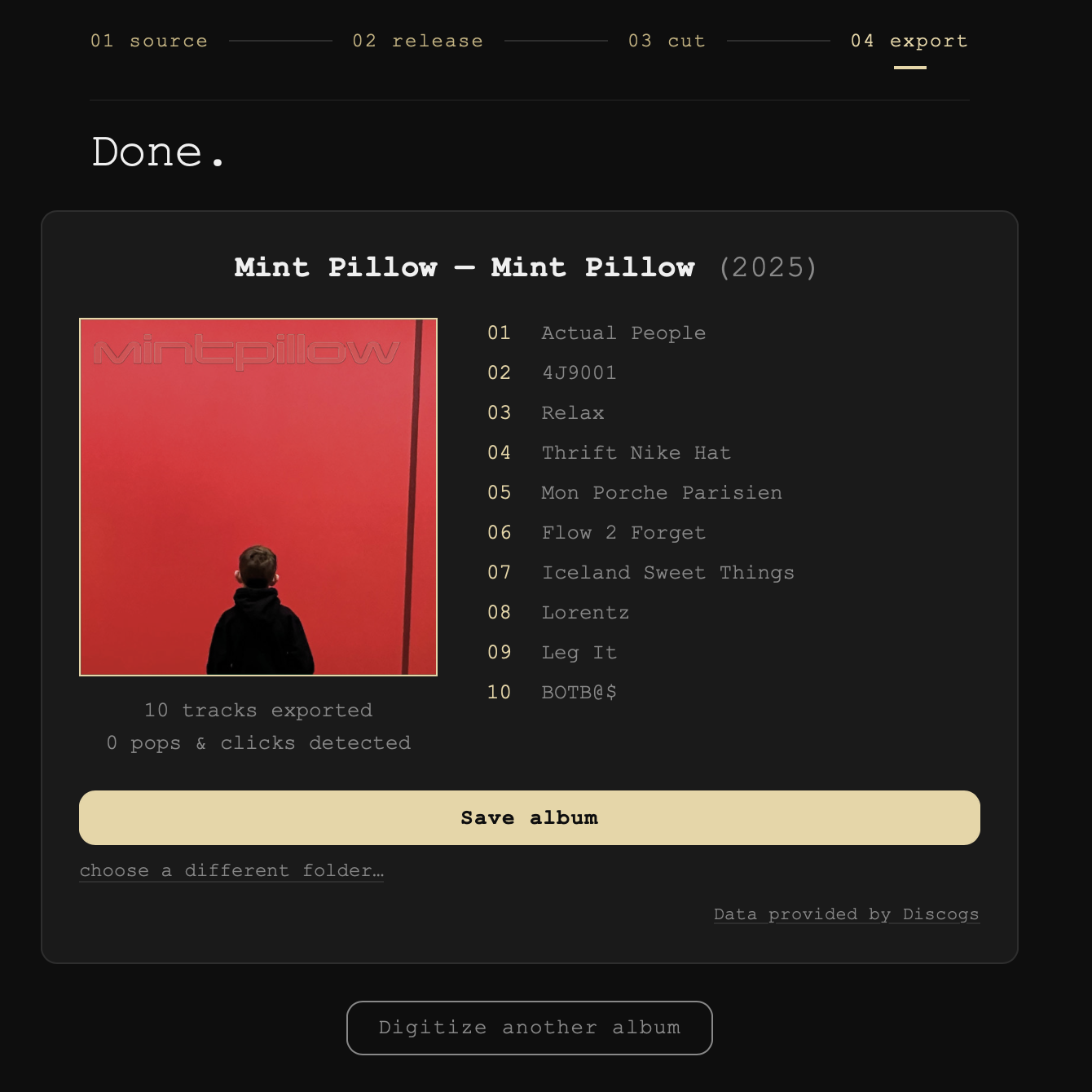
When it's finished, Done. shows your album: the cover, the tracklist, and Save album.
- The first time, Groovemark asks where to save. Tick save this folder for next time and every later album saves there in one click. choose a different folder… saves just this album somewhere else.
- Connected to GP-33 (in Settings), Save album files the album straight into GP-33's library, ready to play. If GP-33 already holds it, a card asks what to do. See Saving Duplicate Albums in GP-33.
- With multiple formats, each format saves to its own folder. Groovemark asks for any folder it doesn't know yet.
Still need help? hit us up.