Refining the cuts
Once Groovemark has read your recording, Refine the cuts shows every place where one track ends and the next begins. Groovemark places the cuts; you perfect them. Check any that look or sound off, then export.
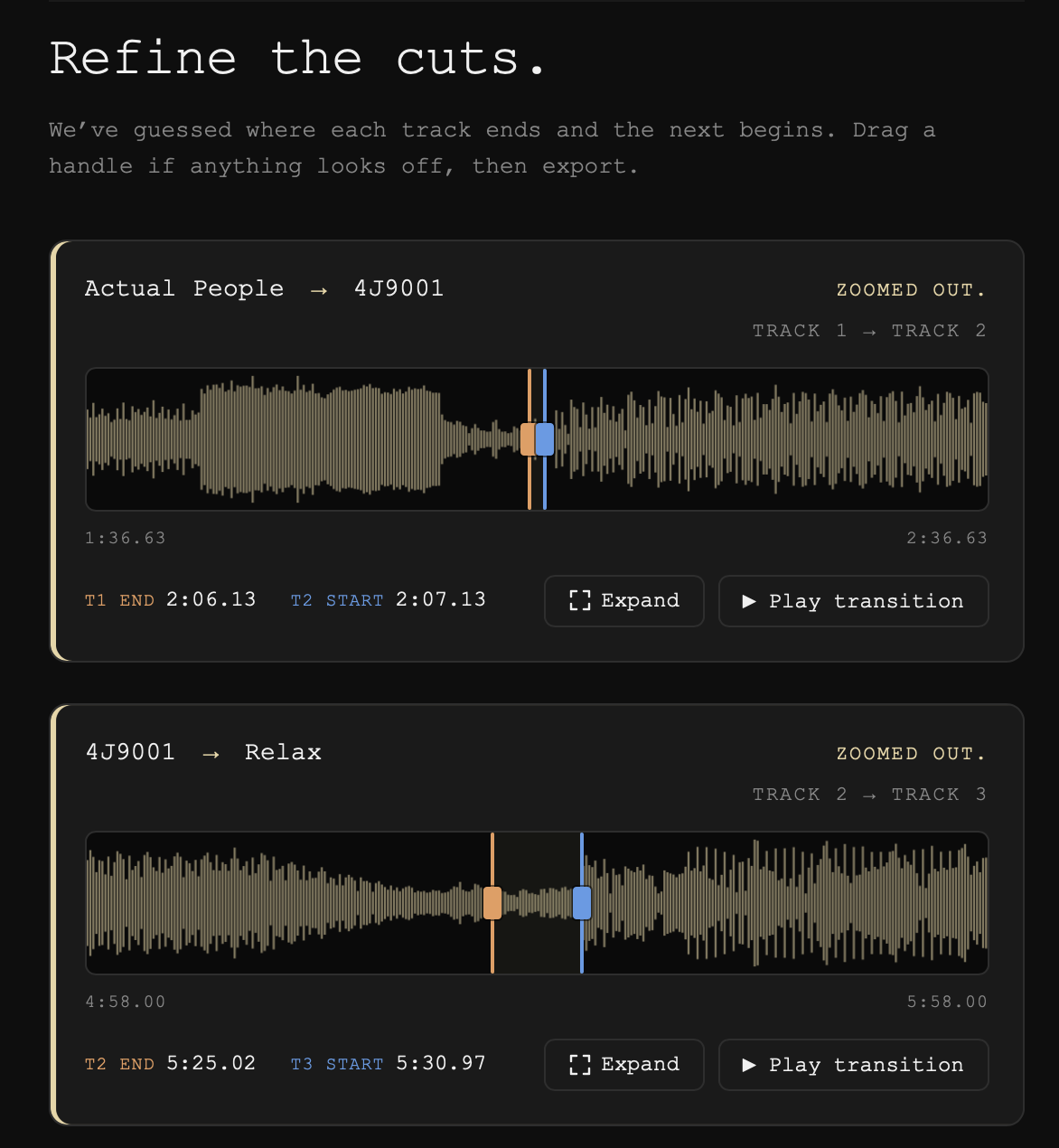
Each row is one cut
Each row shows the audio around one cut, with the titles of the two tracks it separates. The orange handle is the end of the track before; the blue handle is the start of the track after. Drag either one to move it.
Listen before you move anything
Press Play transition (or the spacebar) to hear across the cut. Press a handle to hear just before it (orange) or just after it (blue).
When a cut opens zoomed out
Some rows open with a gold bar and the tag zoomed out. That means Groovemark wasn't sure exactly where that cut falls, so it gives you a wider view to find it.
Expand for a bigger view
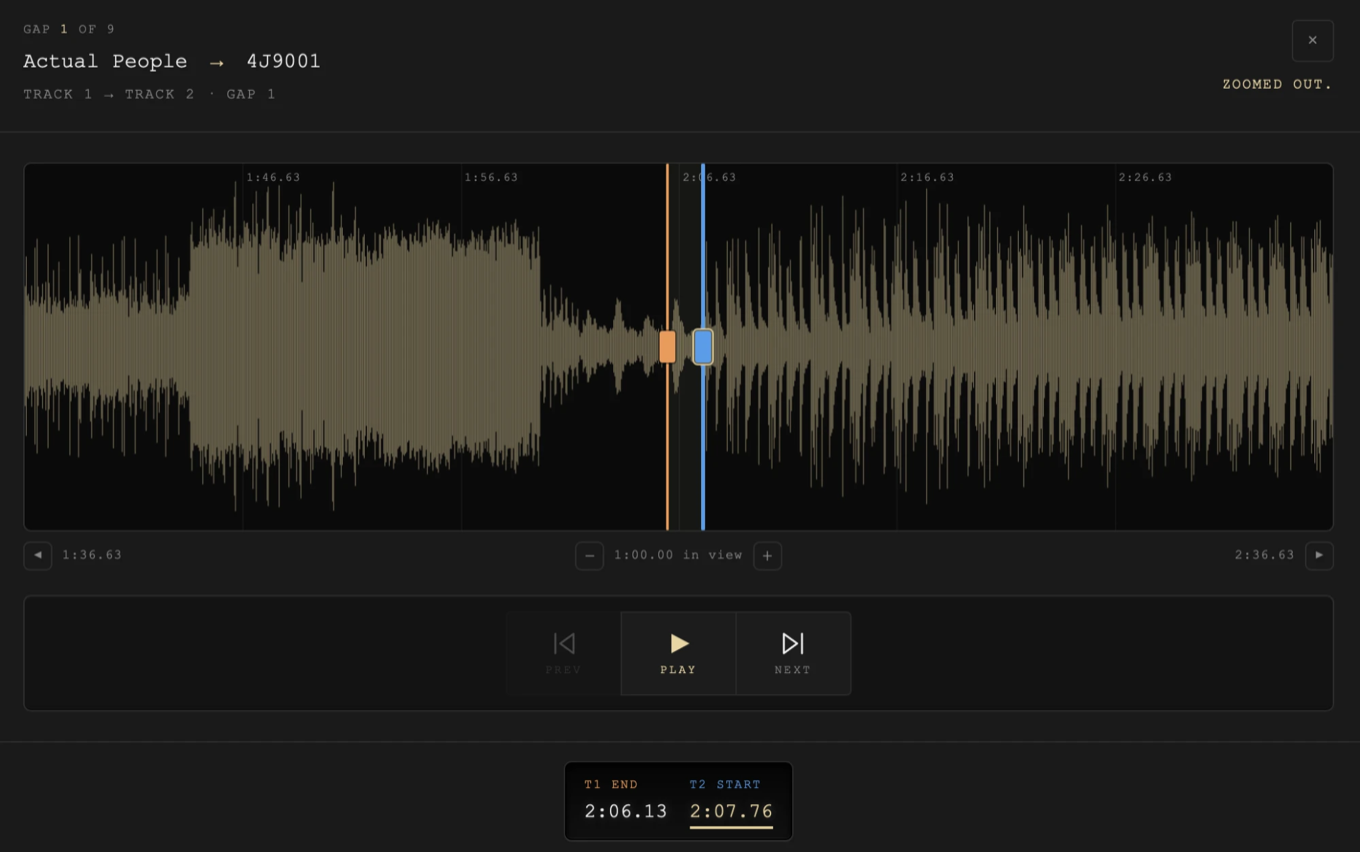
Press Expand on any row for a large view of that cut. There you can:
- zoom out and in with − and +, each press showing 15 seconds more or less on each side, so a cut that landed far from the true break can always be reached;
- grab the waveform and slide it, or page with ◀ and ▶;
- nudge a handle with the arrow keys;
- step to the previous or next cut with PageUp and PageDown;
- export from the bottom of the view, so you can finish a whole album without leaving it.
All the keys are in Keyboard shortcuts.
Pushing cuts out of the way
Drag a handle into another cut and it pushes that cut along instead of stopping, so a cut that landed in the wrong place can always be moved where it belongs. A cut's own two handles never push each other.
One-track albums
A single with one song has nothing to cut. The screen reads One track. and shows the whole recording with a start handle and an end handle, so you can trim it before you export.
Next
When every cut sounds right, export. See Exporting and saving.
Still need help? hit us up.